Mics Off, Questions On: Auditing Your Voice Assistant in 2026
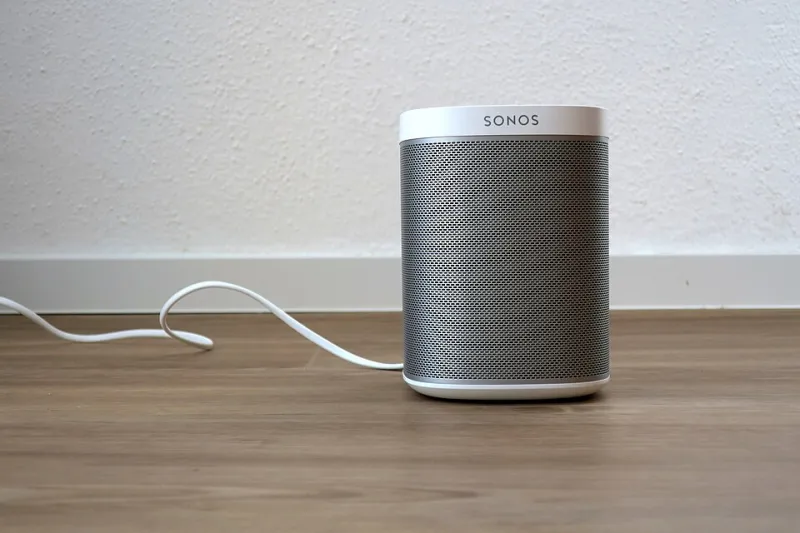
Photo: Robert Wetzlmayr, CC BY-SA 4.0, via Wikimedia Commons
It is 7:15 on a grey November morning and the kitchen speaker has already had a busy day. It played the weather, set a timer for the porridge, and heard you tell someone that the boiler is making that noise again. Then you said 'stop'. The light went off. The device went quiet. That does not mean the request vanished.
Voice assistants are not usually recording everything you say all the time. The wake word is spotted on the device itself, and only then should audio head to the vendor's servers for processing. But the bit people miss is what happens after the command ends. A request can leave behind an audio clip, a transcript, a timestamp, a device ID and a pretty good clue about your daily routine. In the UK, that is personal data, and it sits inside the familiar rules of the UK GDPR and the Data Protection Act 2018.
This is not a reason to bin the speaker. It is a reason to treat it like any other connected device in the house: useful, slightly nosy, and worth checking every few months.
What actually gets kept after 'stop'
When you ask a smart speaker a question, the assistant needs to process the request, fetch an answer and send it back. The service may keep a record so you can review what you asked, so it can improve transcription, or so it can troubleshoot errors. Depending on the platform and your settings, that record may include the audio recording, a text transcript, or both.
Accidental activations are the interesting ones. A TV advert, a name that sounds a bit like the wake word, or a rushed sentence in the hallway can trigger a short capture. Some of those clips are dull. Some are not. They can include family names, health complaints, arguments about money, or a child saying something you would rather not have stored in a California data centre.
Retention periods vary by vendor and by setting. Some accounts keep voice history until you delete it. Others offer auto-delete windows such as three months or eighteen months. Improvement programmes are separate again: you may be able to opt out of having recordings reviewed by humans, or opt in, depending on the service and the region. The key point for a UK household is that these are choices, not weather. You can usually change them.
The dashboard is the diary you never meant to write
Open the companion app for your speaker and find the voice history section. This is where the ordinary stuff piles up: 'what time is bin day', 'add milk to the list', 'call Mum', 'play Radio 4'. On its own, each entry is boring. Together, they sketch a household. They show when you get up, who visits, what you buy, what you worry about and when nobody is home.
That matters because account access matters. If someone gets into the account, they may get more than a shopping list. Shared household accounts can also blur the line between one person's requests and another's. A teenager can see the history. A guest can use the speaker. An ex-partner who still knows the password can log in.
Law-enforcement requests are the other side of the same coin. Technology companies publish transparency reports and generally say they require valid legal process before handing over user data. That does not mean requests never happen, and it does not mean you would always be told. It does mean the data is not invisible. If you are dealing with a specific case, get proper legal advice rather than relying on a blog post.
A 2026 privacy audit for UK households
You do not need a weekend. An hour with a cup of tea and the app will do more than most people manage.
1. List the devices and the accounts. Count the speakers, displays and smart clocks. Then work out which account each one uses. Family households often have more than one. If a device was set up by a former flatmate or a relative, it may still be tied to their account.
2. Read the last month of voice history. Look for accidental captures and anything that should not be there. This is also a quick way to spot a child using the speaker without a child profile, or a guest triggering it by mistake.
3. Set auto-delete to the shortest period you can live with. If you never review old requests, three months is usually plenty. If you use the assistant for reminders and lists, check whether deleting voice history affects those features. It should not delete your shopping list, but the wording varies by platform.
4. Turn off human review or improvement programmes if you are not comfortable. These settings are often buried in privacy menus. Look for phrases such as 'help improve', 'voice recordings review' or 'audio snippets'. The exact label changes, so search the app's privacy section rather than relying on a menu path from an old article.
5. Delete individual clips and then use the delete-all option. Deleting one embarrassing accidental capture is fine. Deleting the lot is better if you are starting fresh. Check whether the vendor says deletion is immediate or takes a short while to work through backups.
6. Lock the account down. Use a strong, unique password and two-factor authentication. Review linked skills, actions and third-party apps. Remove anything you do not recognise. If the speaker can buy things, turn off voice purchasing unless you genuinely need it.
7. Sort out child accounts. Amazon Kids, Google Family Link and Apple child accounts all offer different controls. Use them. Review which skills or actions a child can access, disable spending, and check whether their voice history sits in your account or theirs. A child's data deserves the same care as an adult's, and sometimes more.
8. Use the mute button when it matters. A physical microphone mute is still the most honest control on the device. It is not a substitute for account hygiene, but it is useful during sensitive conversations, work calls or visits from people who have not agreed to be around a listening device.
9. Know how to make a subject access request. Under UK data protection law, you can ask a company for a copy of your personal data. If you think a vendor is holding recordings it should not, or ignoring a deletion request, the Information Commissioner's Office has guidance on raising a concern. Start with the company's privacy team. Keep it factual.
10. Repeat the audit. Quarterly is realistic. New skills appear, children get older, accounts get shared and settings quietly change. A five-minute check in January is better than a two-hour panic in July.
The bottom line
A smart speaker that stays awake is not automatically a spy in the kitchen. It is a microphone with a business model, a privacy dashboard and a retention policy. The sensible UK approach in 2026 is not to unplug everything in a fit of doom, but to know what is stored, shorten how long it stays, and keep the account tighter than the average household does. Say 'stop' by all means. Then go and check what happened next.