Under the Sofa, Into the Cloud: Auditing Your Robot Vacuum’s Home Map
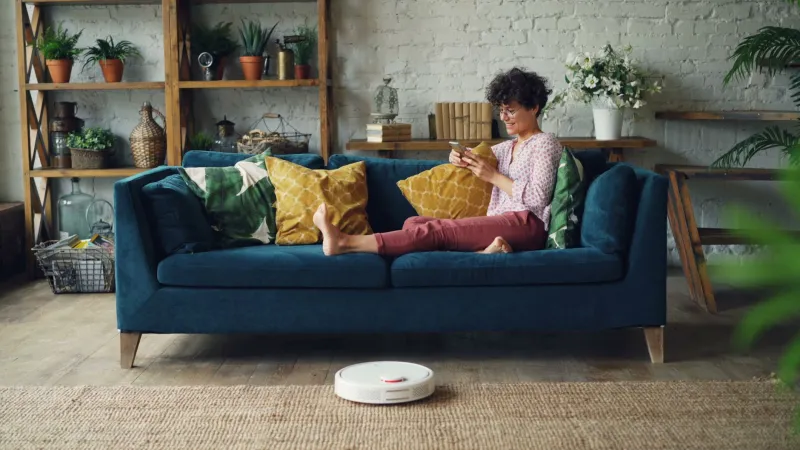
Robot vacuums used to be simple: bump into a chair, turn, repeat. The modern ones are closer to a small, paranoid surveyor. They spin a LiDAR turret, sniff out obstacles with cameras and infrared, count wheel rotations and compare notes with a phone app. The result is not just a cleaner route. It is a floor plan, with timestamps, room labels and a record of how your home changes.
At Spy UK, we are less bothered about whether the vacuum misses the skirting boards than about what happens to that map after the job is done. A floor plan is not neutral. It can show how many rooms you have, where the sofa sits, which doors stay shut and whether the layout has suddenly changed. In the wrong hands, that is more than cleaning data.
The map is the product
Most mid-range and premium robot cleaners in 2026 advertise mapping as a convenience. You get room-by-room cleaning, no-go zones and a little animated trail on your phone. Behind that convenience is a data set. The robot logs walls, doorways, furniture outlines and floor types. Some models add camera images for obstacle avoidance, or let you drop pins and labels such as kitchen, bedroom or dog bowl.
From that, a company can infer quite a lot without ever seeing a photo of your living room. The size of your home. The number of occupants, roughly. Whether you have pets, based on hair and dander patterns or pet-waste detection. When rooms are usually empty. How often you clean. Even changes over time, such as a new desk in the spare room or a cot in the nursery.
None of this is illegal by default. It is the sort of inference that makes a smart product feel smart. The question is where the map lives, who can access it and how long it sticks around.
Local, cloud or somewhere in between
Robot vacuum privacy is not one setting. Some cleaners can keep maps on the device or a local hub. Others need a cloud account to unlock room labels, remote control or multi-floor maps. Many blend the two: the robot maps locally, then syncs a copy to the manufacturer's servers so you can check on it from the bus.
That cloud copy is the one to think about. It may be linked to your account email, your home Wi-Fi name and the robot's serial number. It may be shared with app developers, analytics providers or customer support staff. It may be transferred outside the UK under standard contractual clauses or an adequacy decision. None of that is automatically sinister, but you should know which of those things applies to the box trundling around your hallway.
Check the app's privacy dashboard, not just the quick-start leaflet. Look for retention periods, sub-processors and whether camera images are processed on the robot or uploaded. If the policy is vague, assume the cloud copy exists until you find a setting that says otherwise.
A five-minute app audit
Start with permissions. On iPhone or Android, open the robot vacuum app's permission page. A cleaner may need Bluetooth for pairing, local network access for control and notifications for job alerts. It probably does not need your contacts, microphone or photo library. If it asks for camera access, ask yourself why. Some apps use it for room photos or support tickets; that does not mean you have to grant it all the time.
Next, look for map history. Many apps keep several saved maps, including old layouts from before you moved the furniture. Delete the ones you do not need. Then find the cloud settings. Is remote viewing on? Is map backup enabled? Is there a local-only mode, and what do you lose by switching it on? If the app offers a guest network or separate account for the vacuum, use it.
Finally, check integrations. A robot vacuum linked to a voice assistant or smart-home hub may pass map data or room names to another company. Remove integrations you no longer use. And if you have ever uploaded photos of your rooms to a support chat, ask whether those images are retained after the ticket closes.
Your UK data rights, without the legal fog
Under the UK GDPR and the Data Protection Act 2018, you can ask a company for a copy of your personal data. That includes account details, cleaning schedules and, depending on how the map is stored, the floor plan itself. You can also ask for inaccurate data to be corrected, for processing to be restricted, and for your data to be erased in certain circumstances.
A subject access request does not need to be fancy. Email the manufacturer's privacy team, give the account email and robot serial number, and ask clearly for a copy of your personal data and an explanation of how long map data is kept. For erasure, be specific: ask for the cloud map, map history, camera images and account profile to be deleted, and ask what happens to backups. Companies should respond within one month in most cases, and they should not charge you for a normal request.
If the response is poor, you can complain to the Information Commissioner's Office. You do not need a solicitor to do that. Keep screenshots of the app settings and copies of your emails. A paper trail makes a vague privacy policy much easier to challenge.
Watching back
A robot vacuum is a useful little snoop. Treat it like one. Put it on a separate Wi-Fi network if your router supports it, use a unique password and keep the firmware updated. Turn off cloud features you do not use, clear old maps and review the app permissions every few months. If you sell the robot or give it away, factory reset it and remove it from your account first.
You do not have to give up mapping to keep your home private. You just need to know where the floor plan goes, who can see it and how to get it back.